Fraktjakt's Print Assistant

Print Assistant, our premium service for automatic printing

With Print Assistant, you speed up and secure the handling of your shipping documents.

Instead of manually clicking and printing the shipping documents, everything happens automatically - directly to the right printer, linked to the right package.
Faster handling with automatic printing

Print Assistant acts as a local print server for each user. It connects your order flow with your printers and ensures that the right document is printed in the right format to the right printer. You decide how prints are handled, regardless of whether you have a single computer or multiple packing stations.

  • Shipping labels can be printed directly when they are created
  • Shipping slips are printed to the right printer depending on the document format
  • Everything happens without manual handing
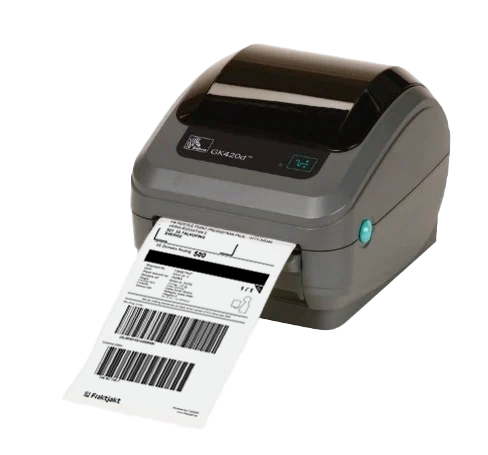
The result is a faster, smoother and more reliable workflow.

Right document to the right printer

With Print Assistant, you can configure exactly how your prints are handled.

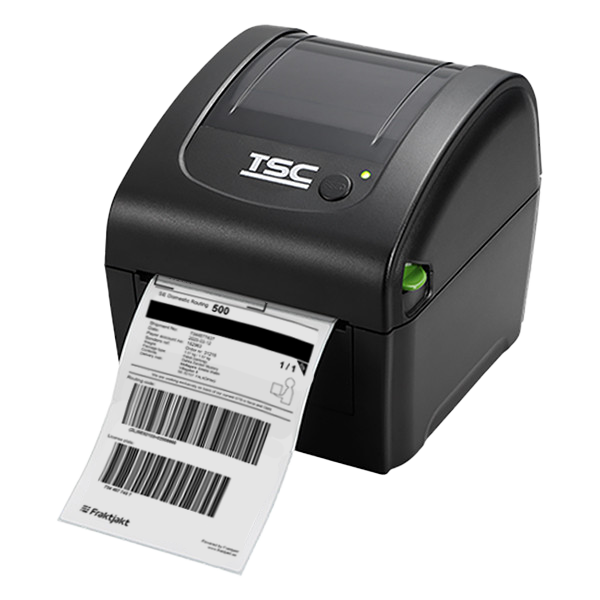
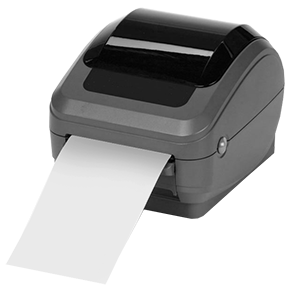
  • Shipping labels are automatically sent to a dedicated label printer
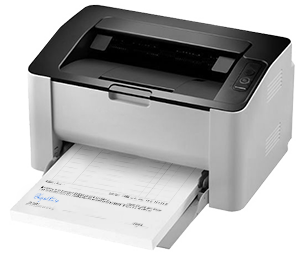
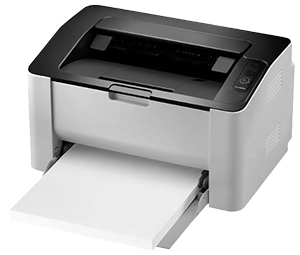
  • A4 documents such as packing slips and customs documents are printed on a regular paper printer
  • Each packing station can have its own printer and settings
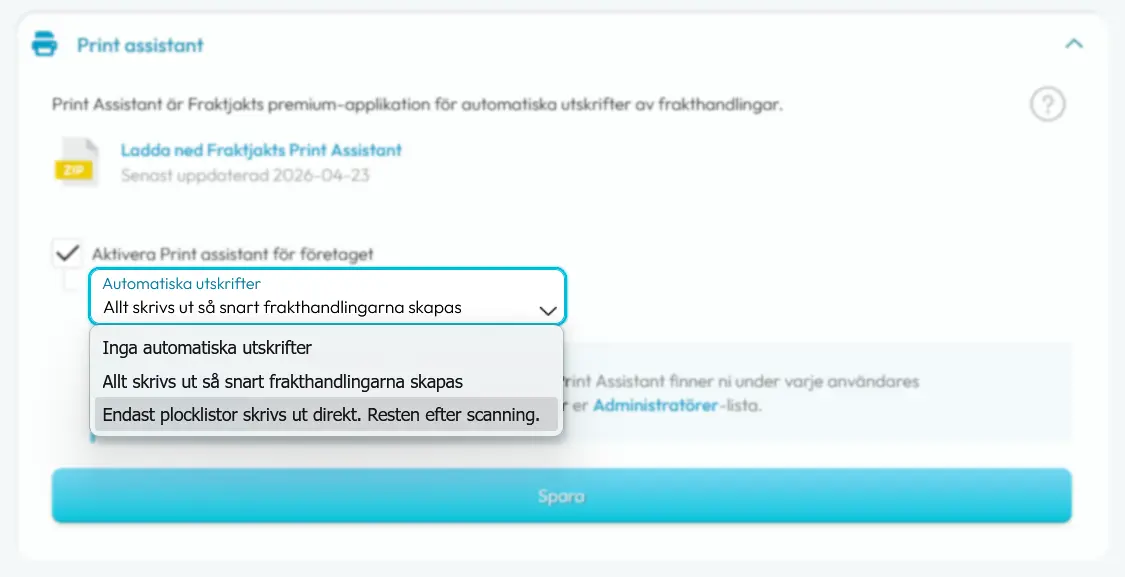
It eliminates mix-ups and saves valuable time in daily work.

Support for different workflows

Print Assistant supports several different workflows depending on how your business works
  • Automatically print all shipping documents directly
  • Automatically print just your pick lists
  • No automatic printing at all, so each user can decide when their printing happens.

Efficient picking & packing with barcode

Print Assistant supports a structured workflow where you can separate picking and unpicking, by setting up so that only your picking lists are printed automatically:
  1. The packing stations get printouts of their pick lists
  2. The goods are picked and packed according to the instructions on the picking list
  3. When packing is ready, the barcode on the picking list is scanned
  4. The picker gets all the associated shipping documents directly to his printer
This ensures that the right goods are packed and also minimizes the risk of mixing up shipping documents, as the printouts are linked to the right packages while increasing the pace.

  Read more about how to use a barcode scanner
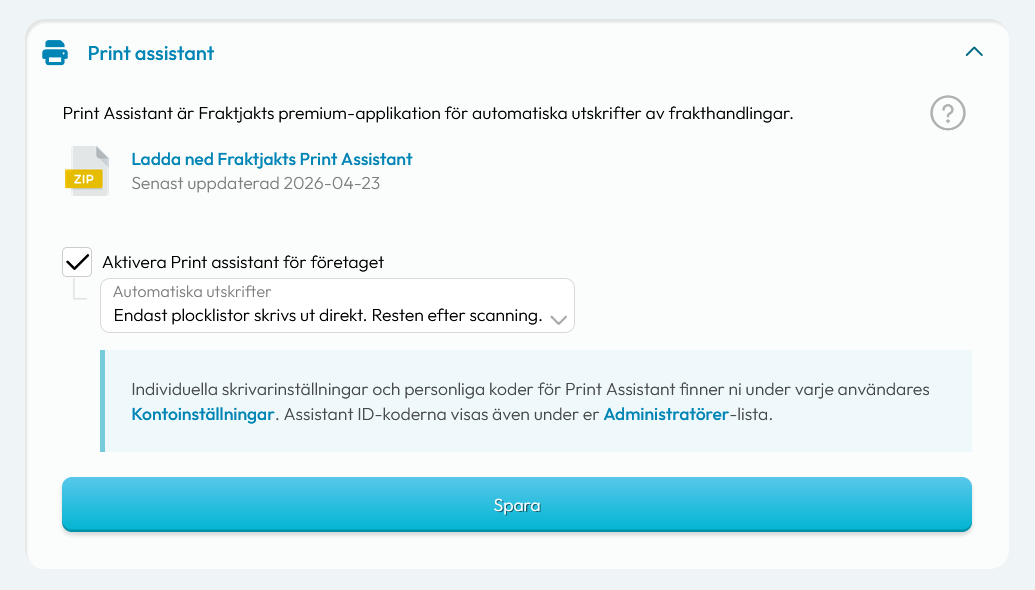
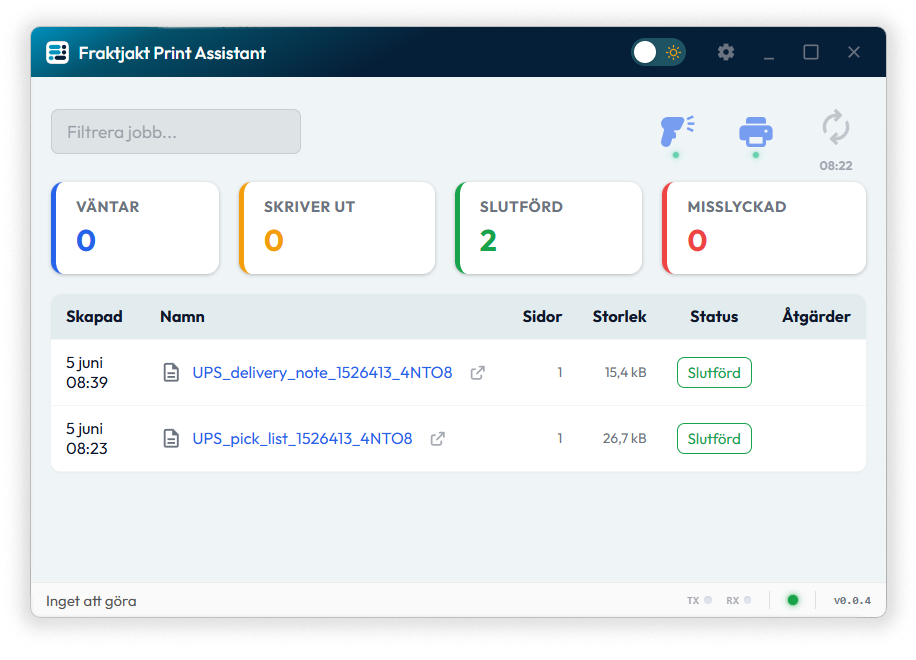
Full control with clear status

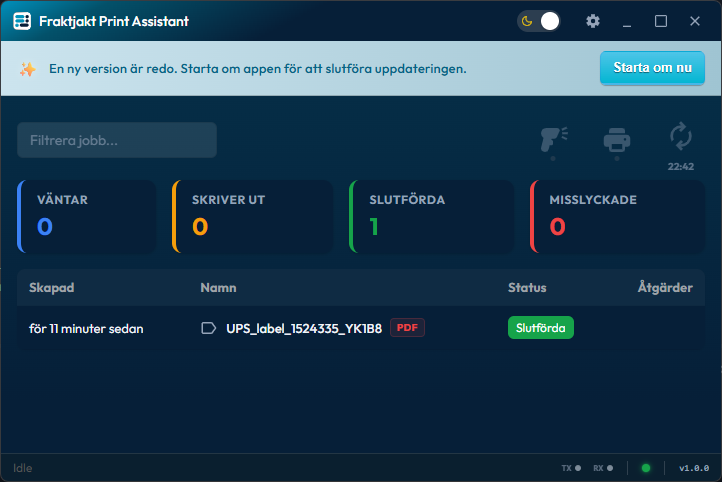
You get a complete overview of all your prints.
  • Which documents have already been printed
  • Which are in the queue
  • If prints have failed
It makes it easy to troubleshoot, recover and ensure that no document is lost in the process.

Scalable for the entire business

Regardless of whether you have one or more packing stations, Print Assistant can be adapted to your organization.
  • Install per computer / packing station
  • Connect different printers to different print roles (labels and other documents) as well as print formats
  • Scale up easily without increasing either administration or cost
It makes the solution just as effective in smaller warehouses as in larger logistics flows.

A new standard for shipping management

Print Assistant is more than just a tool, it is a completely new way to work with printing in your logistics.

By automating every step, you reduce manual work, save time and get a more reliable flow from order to delivery.

Included in Fraktjakt Pro

Print Assistant is included in Fraktjakt Pro, our new premium subscription for companies that want to take their shipping management to the next level.

To install the app, you need a computer with the operating system   Windows 10 or 11.
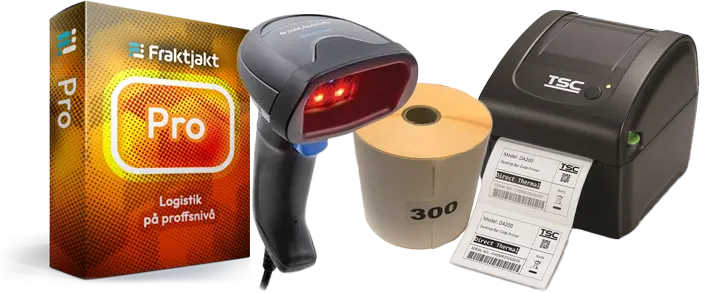
Get Fraktjakt Pro today!

FAQ about printing of shipping labels

How do I set up a barcode scanner

Most hand scanners work with Fraktjakt, provided they are set to HID mode. In HID mode, the scanner works like a regular keyboard and sends the scanned information directly to the computer. HID mode is the default on most hand scanners. If you are unsure, you can read in the scanner's manual how to check or change the setting.

Test that the scanner is working
The easiest way to check that the scanner is connected correctly is to: Open a text program, such as Notes, Notepad or Word, and scan a barcode. If the barcode content is displayed as text in the document, the scanner is correctly installed and ready to use with Fraktjakt.

  Read more about how to use a barcode scanner

What print formats does Fraktjakt support?

Fraktjakt supports the following print formats

  • A4 paper Printer_a4
    A4 paper
    Print on standard A4 paper.
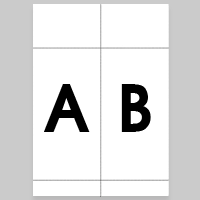
  • Labels 104 x 268 mm on A4 Printer_a4
    Labels 104 x 268 mm on A4
    Shipping labels in STE format 104 x 268 mm, with a receipt part, on A4 for printing on a regular A4 printer.
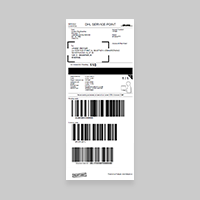
  • Labels 105 x 251 mm Printer_a4
    Labels 105 x 251 mm
    Labels in format 105 x 251 mm for dedicated label printers.
  • Labels 105 x 220 mm Printer_a4
    Labels 105 x 220 mm
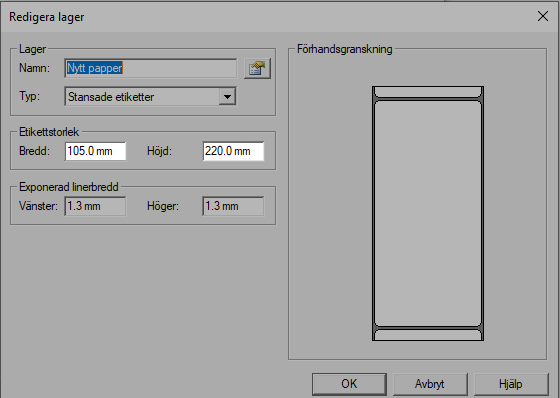
    Labels in format 105 x 220 mm for dedicated label printers.

How do I set up printing for a regular printer?

Fraktjakt supports two different printing formats for regular printers. Printing on regular A4-sized paper and printing on shipping labels on A4 sheets.

Wrong print size?

If you experience problems with the size of the prints, then you should first check that you entered the correct print format in Fraktjakt before you created the shipment. This setting should correspond to the dimensions of the paper format you intend to use. You can not change the print type retroactively on already purchased shipments.
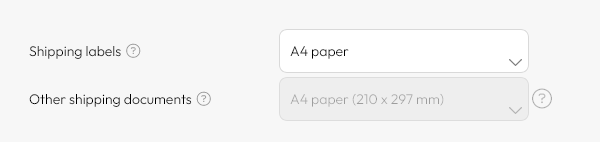
You may also need to change the printer settings on your computer.

How do I setup a label printer?

You print shipping labels cheaper and more easy with a label printer.
We recommend the label printers TSC DA210/DA220 and Zebra GK420D.

Hint: You can purchase TSC DA210 cheap online in our own webshop.

Wrong print size?

If you experience problems with the size of the prints, then you should first check that you entered the correct print format in Fraktjakt before you created the shipment. This setting should correspond to the dimensions of the paper format you intend to use. You can not change the print type retroactively on already purchased shipments.
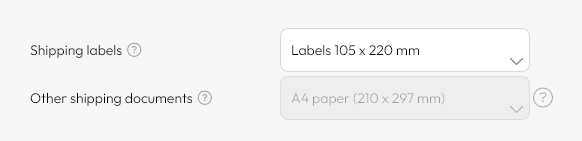
You may also need to change the printer settings on your computer.

(See screnshot for TSC printers)
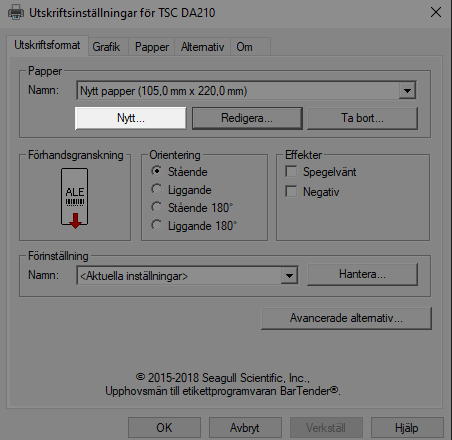
(See screenshot for Zebra printers)

What is a shipping label?

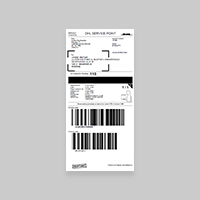
Print the shipping labels using a label printers or on plain white A4 paper and then tape them to the top of the package. Also remove any old shipping labels from the packages.

Barcodes and the QR codes on the label are extra important for the transporters' sorting machines to be able to handle the goods correctly.

Print the shipping labels using a label printers on on self-adhesive labels or using a regular printer on plain white A4 paper and then tape them to the top of the package. Make sure that the label is completely visible on one side and does not cover any seams. Also remove any old shipping labels from the packages.

What is a waybill?

A waybill is a document that contains details and instructions on the transport of a shipment. Unlike a shipping label, the waybill is placed in a plastic pocket.

It should not be confused with a manifest which is a receipt that the carrier has received the goods.

Print the waybills on a plain white A4 paper, which should be put in a transparent pouch attached to the package.

What does CMR mean?

CMR stands for Convention relative au contrat de transport international de marchandises par route. It is an international convention that regulates the international transport of goods by road. The convention subjects the carrier to mandatory liability for the goods they transport, but the sender is also subject to certain mandatory obligations. The convention was adopted in Geneva by the United Nations on May 19, 1956 and applies in all Nordic and European countries. The convention is therefore of great importance for the design of liability for damage to goods during road transport.

What is a manifest?

A manifest is a summary of all goods included in a shipment. It serves as a receipt that the carrier has received the goods.

Fraktjakt automatically creates manifests in duplicate. A copy signed by the carrier to confirm collection of the goods and a copy that the carrier can keep.

You can disable the creation of manifests in your print settings if you create your own manifests, but avoid sending goods without using manifests.

These documents are important for you to be able to prove the shipment if the goods should disappear. Be sure to get the driver's signature on the manifest. It is your receipt that the carrier has received your shipping and is required for you to be able to reclaim the shipping.

What is a pick list?

A pick list is a document that is primarily for the sender to check off what is to be packed up and what belongs to a shipment.

Our pick list also contain a QR code that can be scanned with a regular mobile phone to quickly access all shipping documents that belong to the same shipment and then also print the documents that belong to the package when the package is ready. When the shipment is set as sent, the link no longer shows the shipping documents but a delivery notification, reference text and your message to the customer.

Fraktjakt can automatically create pick lists for your shipments. If you do not wish to use Fraktjakt's pick lists, you can deactivate these documents under your print settings.

What is a delivery note?

A delivery note is a document for the recipient that specifies what the goods contain. When the recipient opens the goods, they can make a reconciliation with the delivery note.

Fraktjakt can automatically create delivery notes for your shipments. If you do not wish to use Fraktjakt's delivery notes, you can deactivate these documents under your print settings.

What is a Commercial Invoice?

A commercial invoice is used to describe goods that are exported for sale and is an important part of the clearance process where customs authorities classify goods so that customs duties and taxes can be assessed correctly.

All shipments to countries outside the European Union (EU) require customs documents, so also within the EU Customs Union, such as Cyprus, Greece, Malta, and Hungary, as well as areas outside the EU excise areas such as Åland and the Canary Islands, under certain conditions.

Correct and complete information on a commercial invoice is very important to get fast and problem-free customs processing. Most shipping companies require a commercial invoice in three copies, all individually signed. Two copies, you put a place pocket attached to the outside of the goods and a copy that you put inside the goods.

Fraktjakt automatically creates a basic commercial invoice for your freight with the most common information pre-filled. However, it is still your responsibility to check that the information is correct and if any information is missing. If you wish to create your own customs documents, you can disable Fraktjakt's documents under your print settings. Be aware that some countries sometimes do not accept handwritten commercial invoices. If the document is not correct, the shipment may be stopped by the receiving customs or the shipping company's customs agent. Fraktjakt will then invoice for the additional costs that may arise.

The signature does not have to be original and in Fraktjakt you can upload your signature so that it is filled in automatically.

What is a Proforma Invoice?

A proforma invoice is used instead of a commercial invoice if the importer has not bought the product. That is, if the product is not for sale, for example for gifts, samples, returns and repairs. The proforma invoice is an important part of the clearance process where customs authorities classify goods so that customs duties and taxes can be assessed correctly.

All shipments to countries outside the European Union (EU) require customs documents, so also within the EU Customs Union, such as Cyprus, Greece, Malta, and Hungary, as well as areas outside the EU excise areas such as Åland and the Canary Islands, under certain conditions.

Correct and complete information on a commercial invoice is very important to get fast and problem-free customs processing. Most shipping companies require a commercial invoice in three copies, all individually signed. Two copies, you put a place pocket attached to the outside of the goods and a copy that you put inside the goods.

Fraktjakt automatically creates a basic commercial invoice for your freight with the most common information pre-filled. However, it is still your responsibility to check that the information is correct and if any information is missing. If you wish to create your own customs documents, you can disable Fraktjakt's documents under your print settings. Be aware that some countries sometimes do not accept handwritten commercial invoices. If the document is not correct, the shipment may be stopped by the receiving customs or the shipping company's customs agent. Fraktjakt will then invoice for the additional costs that may arise.

The signature does not have to be original and in Fraktjakt you can upload your signature so that it is filled in automatically.

What is customs declaration CN22?

CN 22 is a simplified customs declaration for letter items with a value of up to SEK 2,000 which also includes a security declaration. Paste CN22 directly on the item, completely flat without folding over an edge.

All shipments to countries outside the European Union (EU) require customs clearance. No customs clearance is required for goods shipped within the EU, with the exception of Cyprus, Greece, Malta, and Hungary, as well as areas outside EU excise areas such as Åland and the Canary Islands.

Correct and complete information on a customs document is very important for fast and hassle-free customs processing.

Fraktjakt automatically creates CN22 and several other basic customs documents pre-filled with the information about your freight. However, it is still your responsibility to check that the information is correct and if any information is missing. If you wish to create your own customs documents, you can deactivate Fraktjakt's documents under your print settings. If the document is not correct, shipping may be stopped by the receiving customs office or the shipping company's customs agent. Fraktjakt will then invoice for the additional costs that may arise.

What is customs declaration CN23?

CN 23 is a customs declaration for all postal parcels and for letter items over SEK 2,000 that include a security declaration. CN 23 also applies to postal parcels and letter items under SEK 2,000 that are sent for commercial purposes. Tape the document directly on what you are to send or insert plastic pocket that you attach to the shipment.

All shipments to countries outside the European Union (EU) require customs clearance. No customs clearance is required for goods shipped within the EU, with the exception of Cyprus, Greece, Malta, and Hungary, as well as areas outside the EU excise areas such as Åland and the Canary Islands.

Correct and complete information on a customs document is very important for fast customs processing. Most shipping companies require customs documents with three copies, all individually signed. They also recommend that you add an extra copy to the package.

Fraktjakt automatically creates CN23 and several other basic customs documents pre-filled with the information about your freight. However, it is still your responsibility to check that the information is correct and if any information is missing. If you wish to create your own customs documents, you can deactivate Fraktjakt's documents under your print settings. If the document is not correct, shipping may be stopped by the receiving customs office or the shipping company's customs agent. Fraktjakt will then invoice for the additional costs that may arise.

What is a security declaration?

When sending postal items within the EU, a security declaration must be attached to the shipment. Paste this label to the shipment.

Fraktjakt automatically creates the security declarations required for your shipment.

Did you run out of labels for your printer?

You know that you can buy everything from labels to packaging and even label printers quickly and easily at low prices directly from us?

Shop in Fraktjakt's freight shop

Shipping should be quick & easy!

Avoid the boring input of addresses and shipping information through an automatic connection between your ecommerce system and Fraktjakt.

With Fraktjakt you can easily handle all your shipping online. Fraktjakt is a free service to more easily compare and buy freight services from several different shipping companies with or without their own freight agreements.

A more enjoyable shipping

Shipping should neither be difficult nor time consuming. That's why we offer many simplifying solutions like an Automatic address register, Smarter addresses, Intelligent commodity templates, Smart package templates, Automatic packing optimizations, Shipping integrations, Automatic shipping selections, E-commerce integration and the shipping world's easiest order import for a much faster booking process. You are able to combine invoices even on shipments from different shipping companies and providing really good service goes without saying, where our popular customer support navigates your through all adventures your shipping may experience. Happy shipping!


Goodbye boredom and inefficiency

Get rid of boring and tedious shipping management and let shipping become fun again with Fraktjakt automation.

Join Fraktjakt today!

Your privacy is important to us
We use cookies to make your experience as good as possible. We also analyze your visit to understand our customers' needs, as well as direct relevant information and marketing to you. You can change your choices at any time.

Read more about Fraktjakt's privacy policy.